Service Copilot
AI drafts the reply. A human reviews it before it goes out
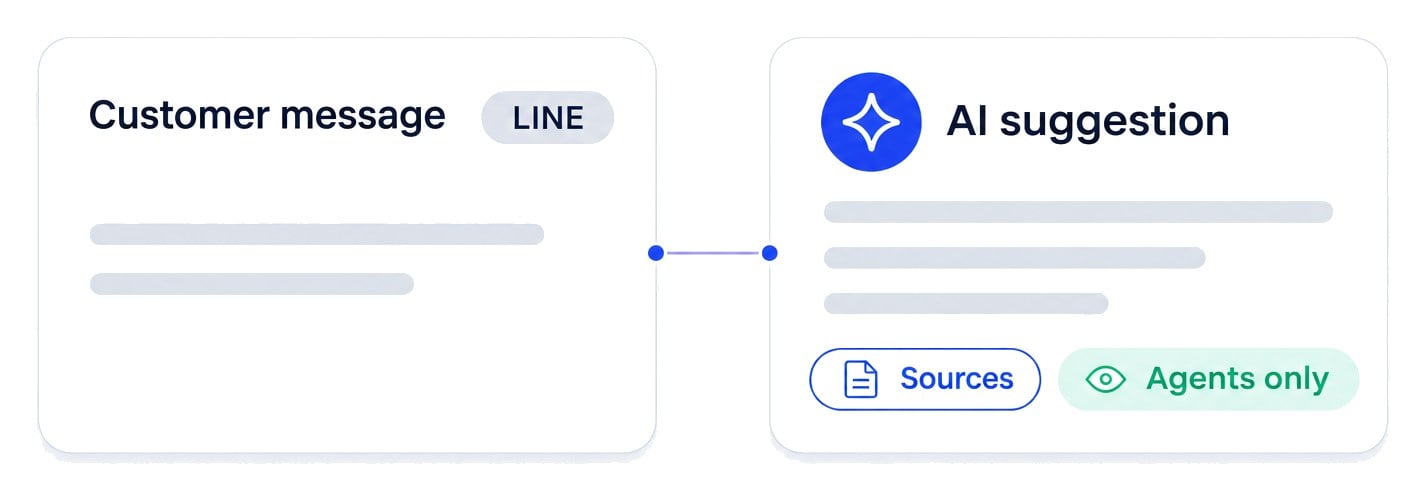
When a customer message comes in, the Agent assigned to that channel drafts a reply in the background. Only your agent can see it. They can send it as is, edit it first, or ask AI to try again. Suggestions use the same role instructions, knowledge base and system connections as your AI customer service.
- Only your agents see suggestionsNothing reaches the customer until an agent clicks Send
- Send in one click, or edit firstNo copy and paste
- Same Agent as AI serviceNo separate knowledge base to build
- Works on 12 channelsWebsite, LINE, Messenger, Email
What is Service Copilot
Service Copilot is an AI assistant for human service agents. When a customer message comes in, the Agent assigned to that channel drafts a reply from your company knowledge. Your agent reviews it and decides whether to send it or edit it. The AI never talks to the customer directly. AI drafts, a human checks.
A customer sends a message
From any channel, such as your website, LINE, Messenger or Email.
AI drafts a reply
Based on the Agent's role instructions, knowledge base and system connections, with sources. Only your agent can see it.
Your agent reviews and sends
Send as is, edit first, or ask AI to try again. The reply goes to the customer under your agent's name.
How it differs from AI customer service
AI customer service
Service Copilot
What Service Copilot can do
A reply draft is ready when the message arrives
The Agent assigned to the channel drafts a reply to the customer message in the background. The text appears word by word, and only your agent can see it. You can have it draft only when an agent clicks, or for every message automatically.
- Manual mode: drafts only when an agent clicks, and AI keeps auto-replying as usual
- Auto mode: every message gets a suggestion first, and your agent replies
- When it uses the knowledge base, it shows the source so your agent can check
Send it, edit it, or try again
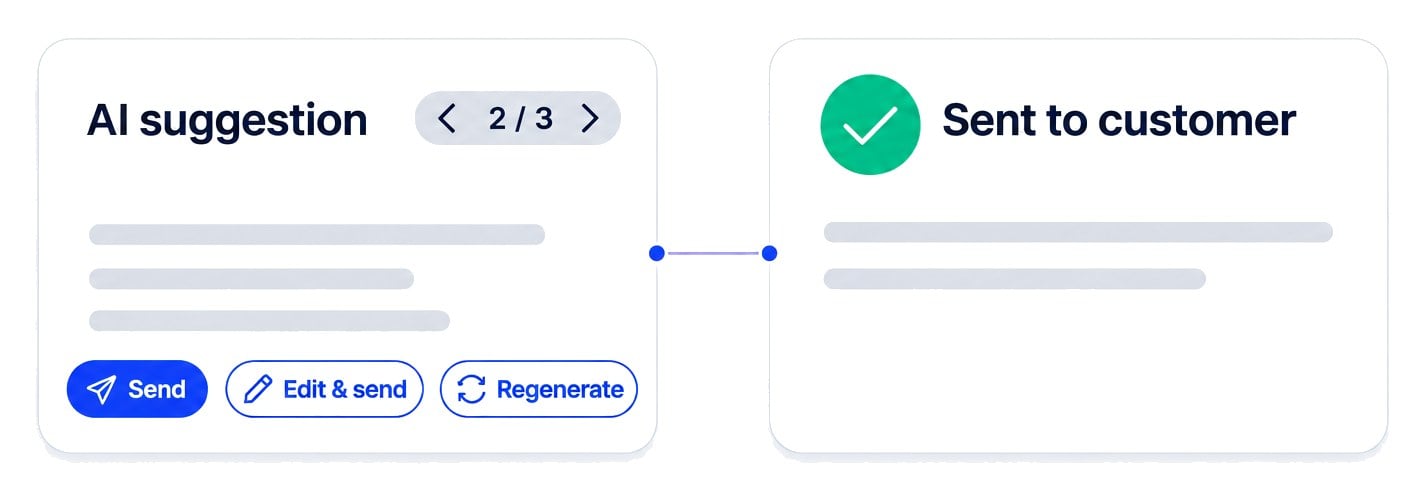
Your agent checks the suggestion and sends it in one click, just like sending from the input box. To change it, they move it into the input box and edit. If it is not right, they can ask for a new one and switch between versions to compare.
- Sent to the customer under your agent’s name
- Edit before sending puts it in the input box first
- Compare several versions for the same message
Shares one Agent with AI customer service
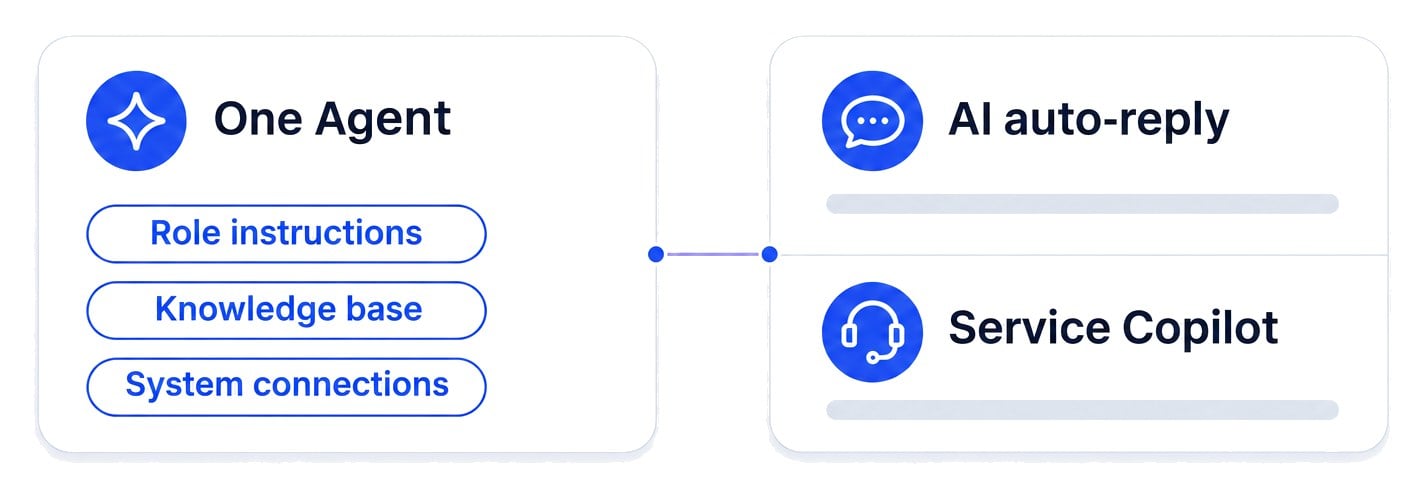
Nothing extra to build for Copilot. It uses the same Agent assigned to the channel, with the same role instructions, knowledge base and system connections. So suggestions are as good as the AI’s direct replies.
- Improve your AI customer service, and Copilot suggestions improve too
- Connected systems, like orders and bookings, are used in suggestions as well
- Turn it on per channel without affecting others
When AI hands off, your agent takes over with Copilot
AI customer service answers general questions first. When a person is needed, the conversation goes to your agent and AI stops replying. Your agent then drafts with Copilot, so replies are well-grounded and consistent in tone. New hires get up to speed fast too.
- After handoff, AI stops replying and your agent leads
- When done, hand it back to AI, which picks up the context
- For work that must be handled by a person, use auto mode all the way
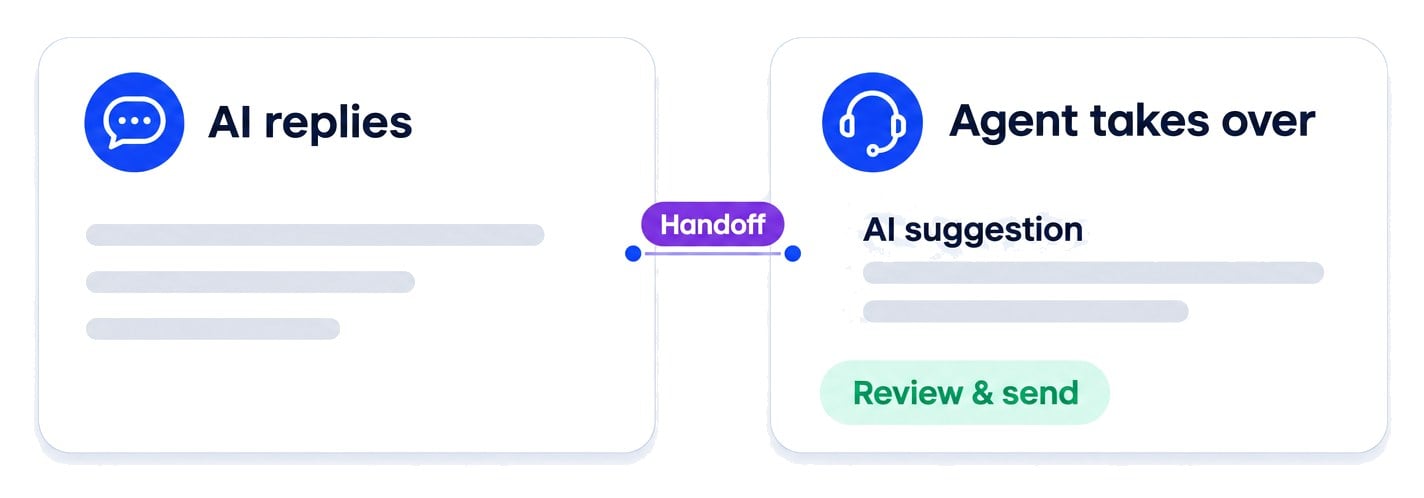
Useful from AI auto-replies
to human takeover
Choose a mode based on your staffing and the type of work. Let AI reply as usual, or have humans check everything. Copilot is always next to your agents.
AI keeps auto-replying. Agents click to get a suggestion when they need one.
- AI replies as usual
- On demand
Every customer message gets a suggestion first. Your agent reviews it and replies.
- AI does not reply directly
- Human check
Conversations AI cannot handle go to your agent, who drafts with Copilot.
- AI stops replying
- Can hand back to AI
When a suggestion uses the knowledge base, it shows the source for your agent to check.
- Based on your knowledge
- Easy to verify
Generate several versions for the same message, compare them, then send.
- Regenerate
- Pick the best one
Turn it on for 12 channels, including website, LINE, Messenger, WhatsApp and Email.
- 12 channels
- Set per channel
MaiAgent Serve core features
 Chat Agent
Website, LINE and social DMs, all handled by one Agent.
Learn more Voice Agent
AI answers your phone line. It understands everyday speech and can look things up and book.
Learn moreService CopilotAI drafts the reply. A human reviews it before it goes out.
Learn more Service Monitoring
Every conversation is scored, so you can find wrong and unresolved answers.
Learn moreFAQ
Do customers see the AI suggestions?
No. Only your agents can see suggestions. Nothing goes to the customer until your agent clicks Send, and then it goes under your agent’s name.
Do we need a separate knowledge base for Copilot?
No. Copilot uses the same Agent assigned to the channel, with the same role instructions, knowledge base and system connections. Once your AI customer service is tuned, Copilot suggestions are just as good.
Do suggestions count against our usage quota?
Yes. Each suggestion uses quota based on the Agent’s model and tools. Regenerating counts again. Failed attempts are not counted. Auto mode creates a suggestion for every message, so it usually uses more than manual mode.
Can we let only some agents use it?
Yes. To create and send suggestions, an agent needs conversation permission, and their role must be assigned the Agent bound to that channel. Turning Copilot on and changing its settings requires edit permission for the channel.