
Agent Marketplace
Pick ready-made Agents by role and industry. Turn them on, and employees use them right away.
Official built-in Agents work out of the box. MaiAgent designs, tests and keeps updating their role instructions, models and tools. Your company does not need to build Agents or prepare data first. Once an admin turns an Agent on, employees can start chatting with it. For processes unique to your company, build your own Agents with Agent Builder and use them in the same marketplace.
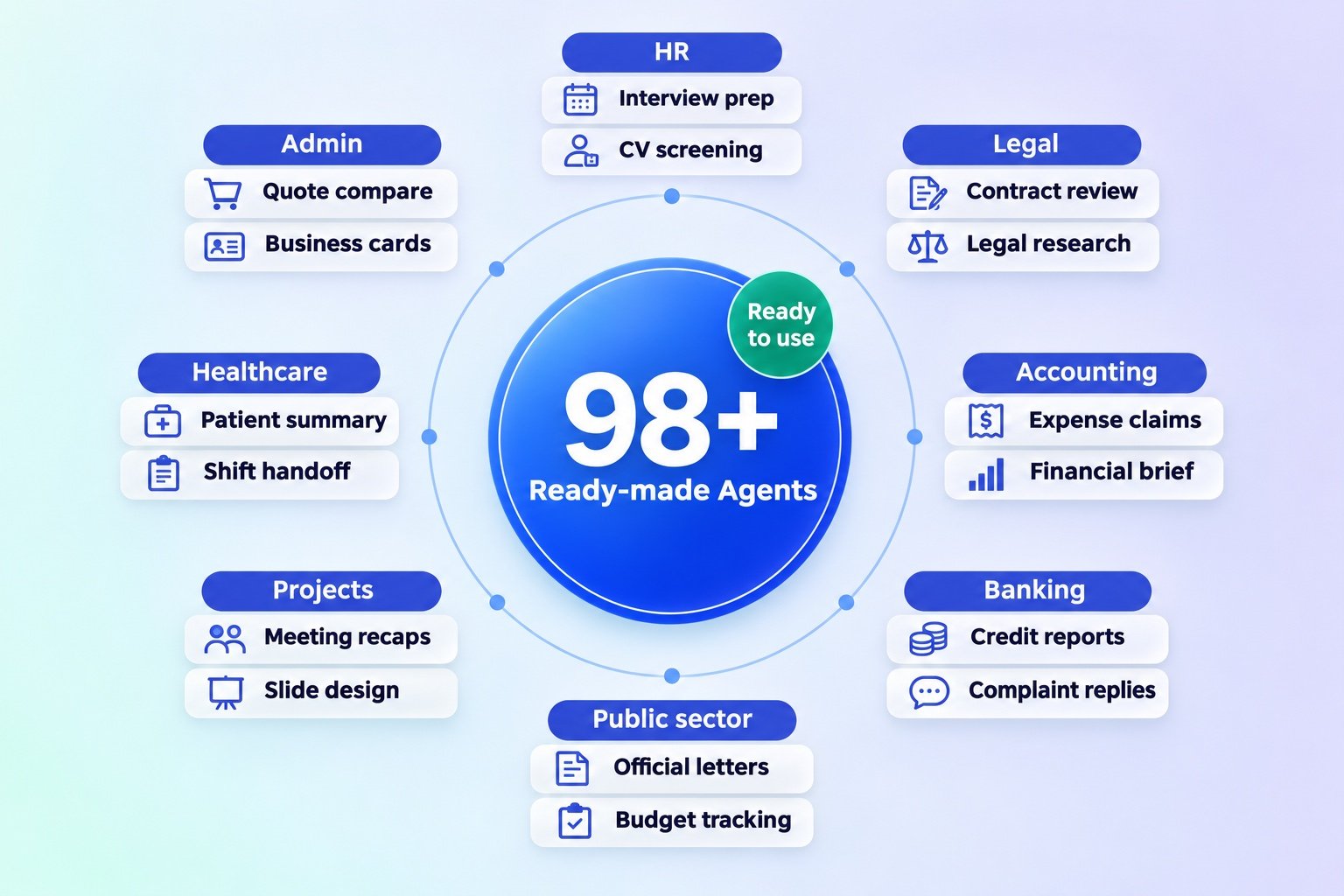
- 98+ ready-made AgentsWork out of the box, nothing to build or maintain
- 14 categories6 roles and 8 industries
- No prompts to writeAnswer the Agent’s questions with your data and needs
- You choose who gets accessAdmins pick the roles and groups that can use each Agent
What the Agent Marketplace can do
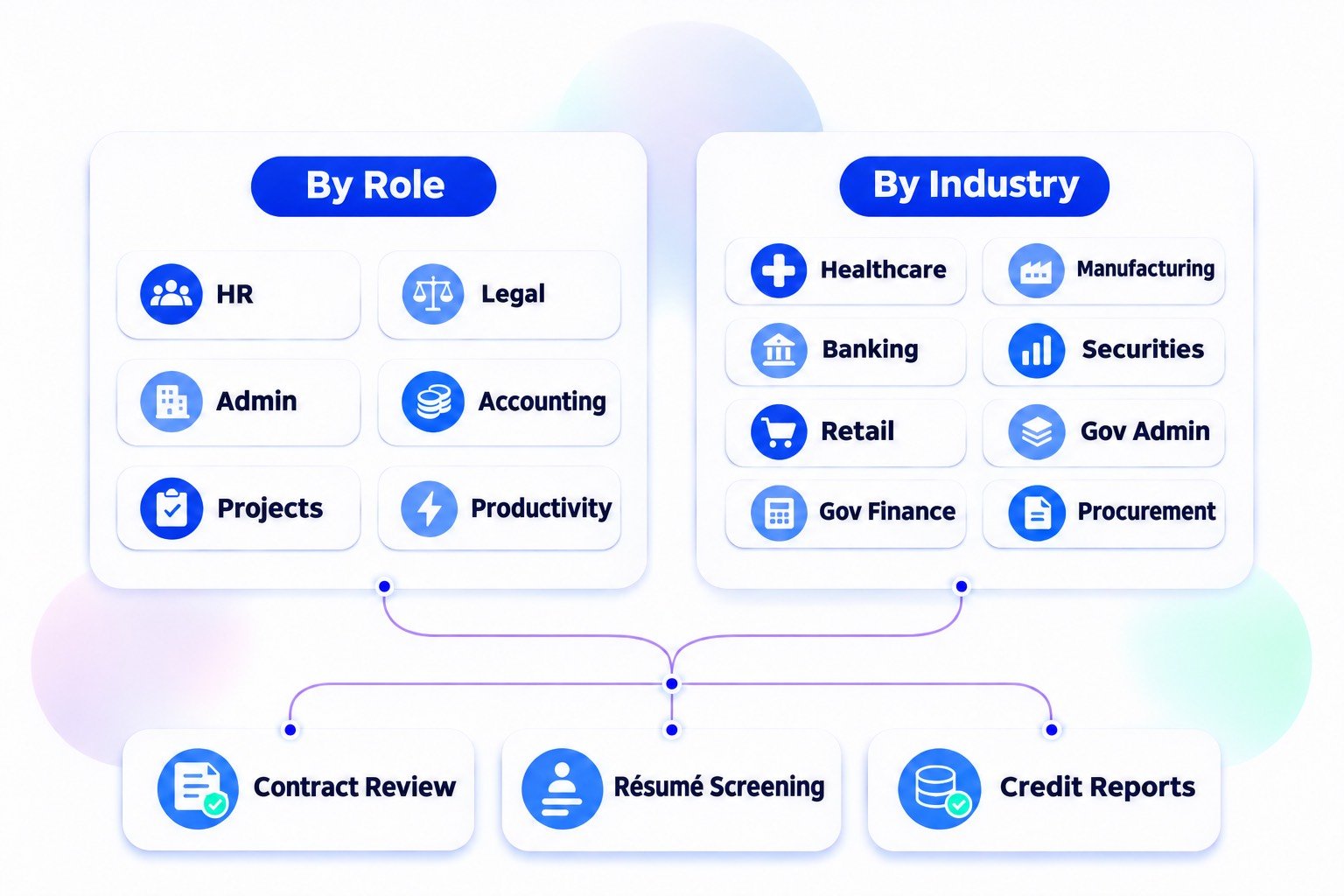
Find ready-made Agents by role or industry
The marketplace is organized by roles such as HR, legal and accounting, and by industries such as healthcare, manufacturing and banking. Filter by category, or search Agent names and keywords.
- Preview an Agent’s demo scenario and steps before you turn it on
- Example Agents include contract risk review, résumé screening and credit report writing
- New official built-in Agents are added regularly
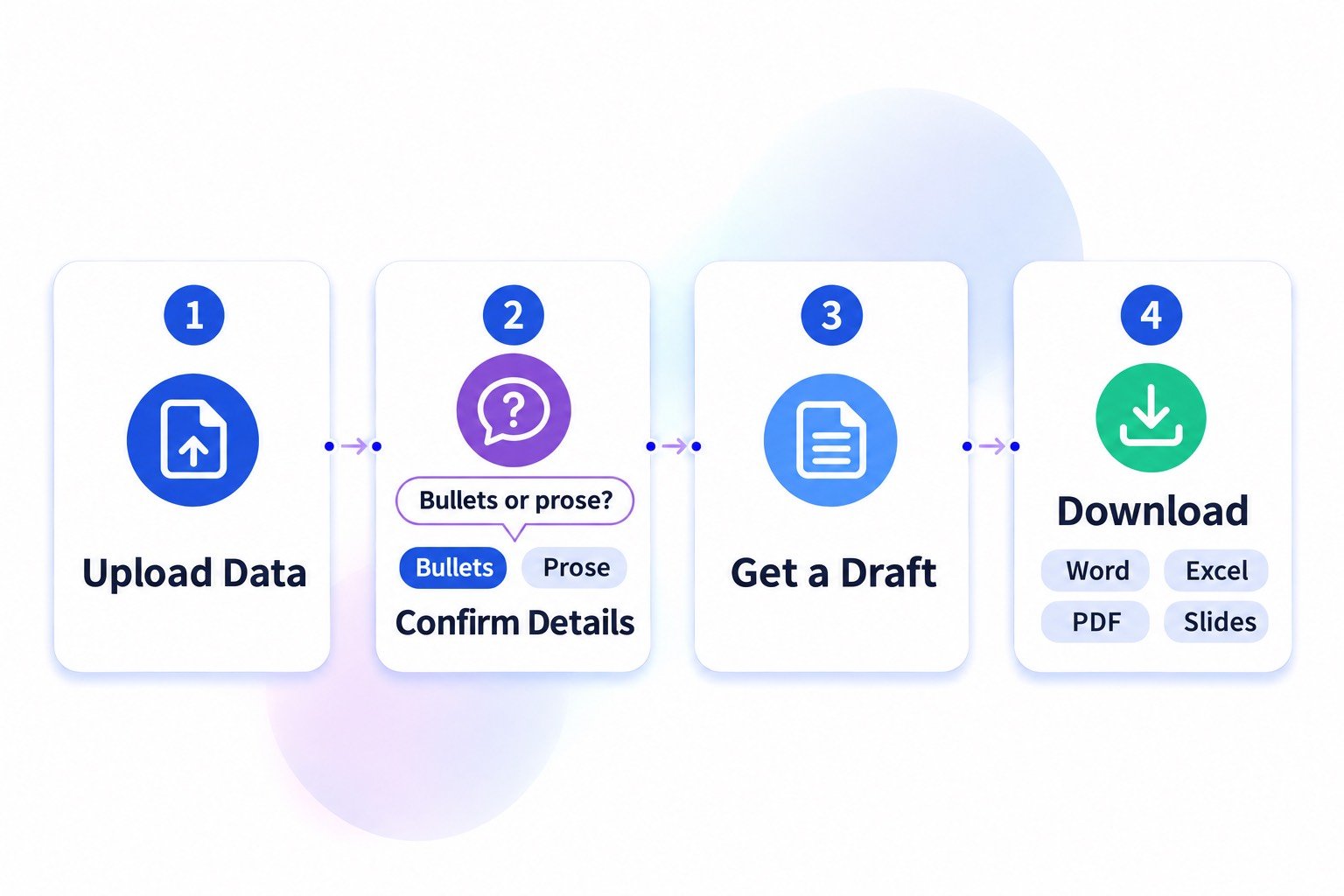
No prompts to write. Provide your data and get results.
Every official built-in Agent works the same way. Employees provide data and requirements, the Agent checks the details, produces a draft, and exports it as a file when needed.
- The Agent offers options. Click one or add a sentence to answer
- Keep editing the draft in the chat
- Common outputs are Word, Excel, PDF and slides, depending on the Agent
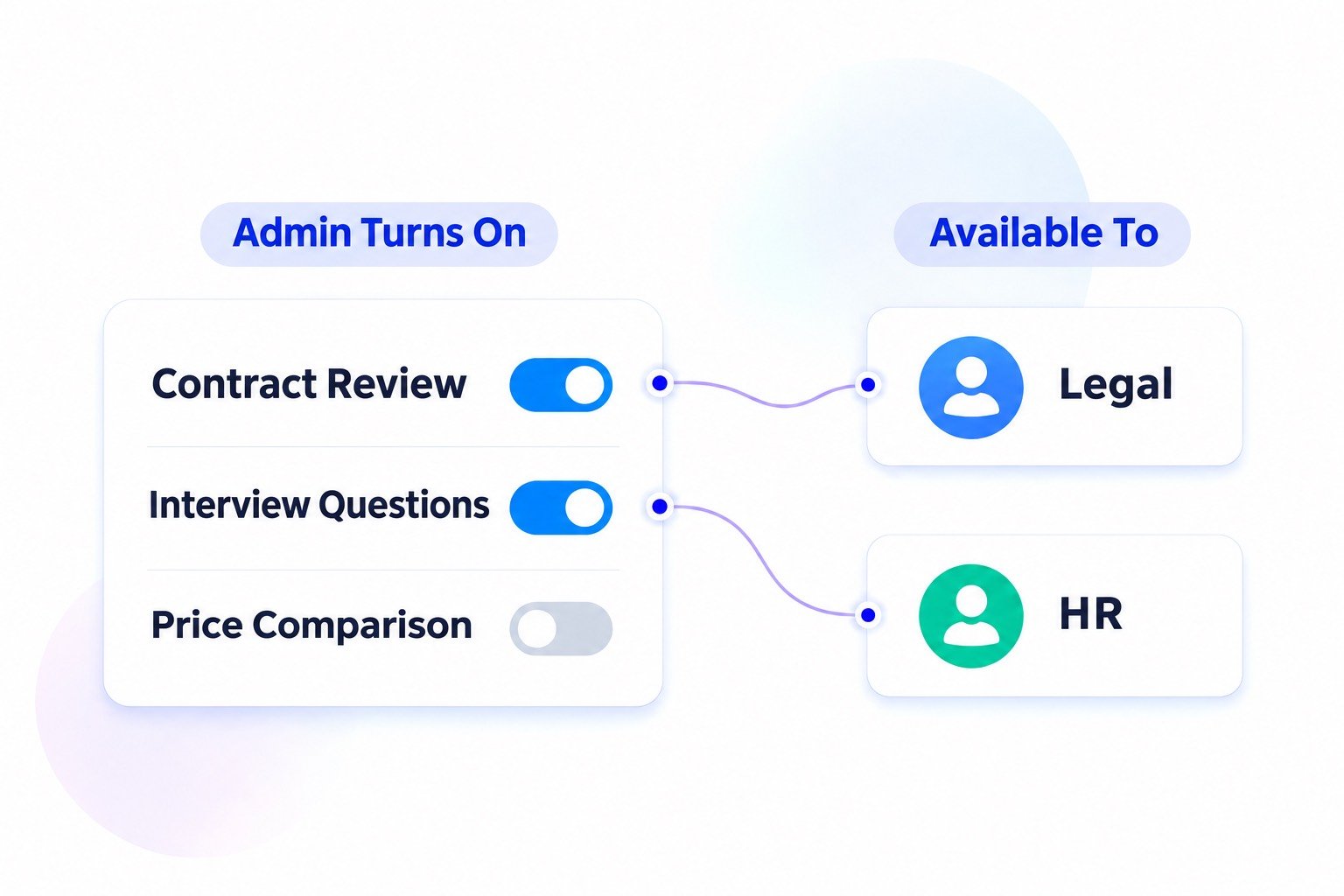
Admins decide which Agents to turn on and who can use them
The organization owner or members with admin permission turn Agents on and choose which roles and groups can use them. Regular members only see the Agents opened to them.
- Import company documents so the Agent answers from your own data
- MaiAgent maintains role instructions, tools and models, so quality stays consistent
- When a new official version is released, organizations that use it are updated automatically
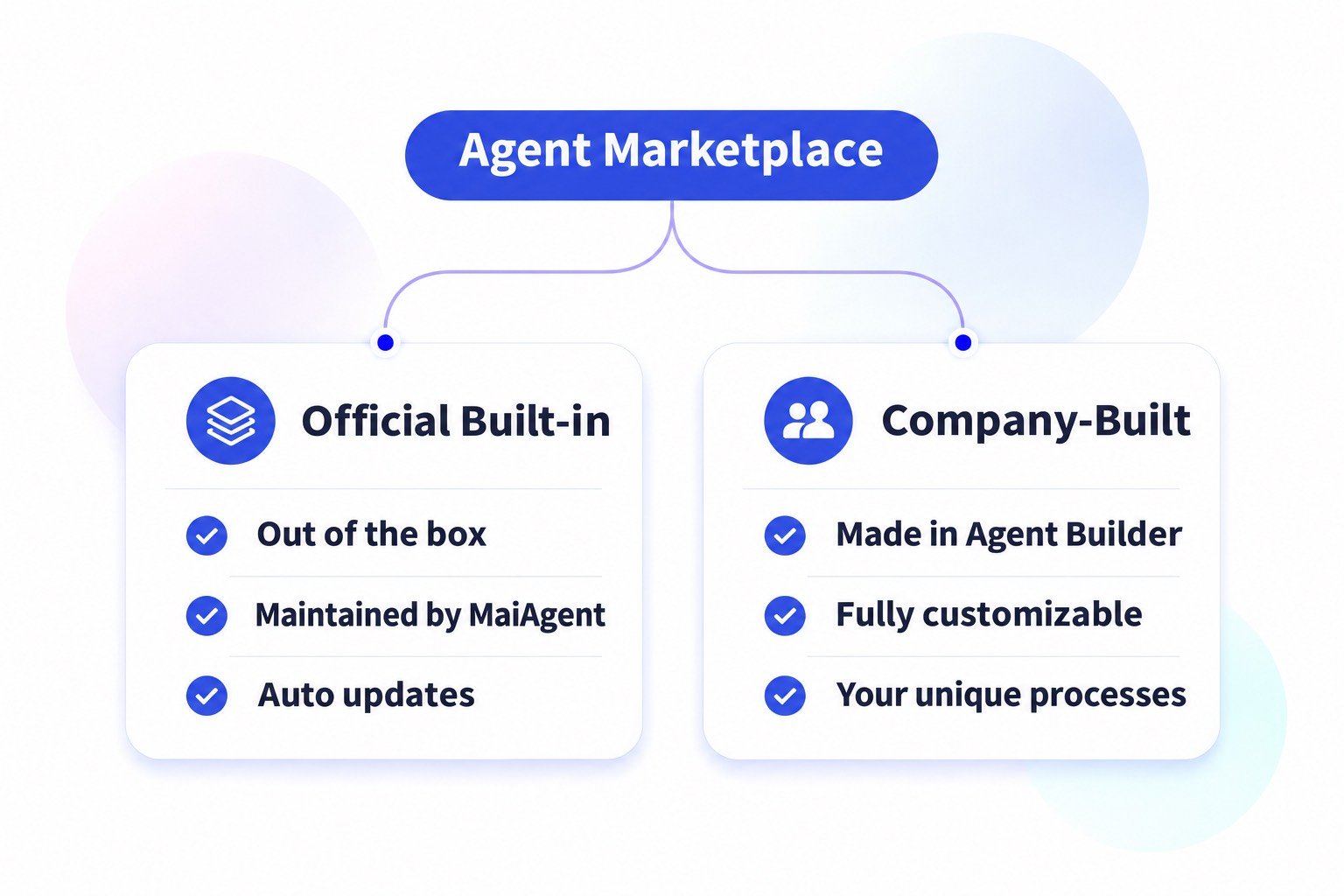
Official and company-built Agents in one marketplace
Use official built-in Agents for common work, and build your own with Agent Builder for processes unique to your company. Employees open both from the Agent Marketplace.
- Official built-in Agents work out of the box and are designed, tested and maintained by MaiAgent
- Company-built Agents let you fully customize role instructions, tools and reference documents
- Both can be used side by side, and members see them based on permissions
Get started with the Agent Marketplace
- 1Browse and preview
Filter Agents by role and industry, and preview demo scenarios without turning them on. Employees who find one they want can ask an admin to turn it on.
- 2Turn it on and choose who can use it
Pick the roles and groups that can use it. If needed, import company documents for the Agent to use.
- 3Employees start using it
Members open it from the Agent Marketplace, answer its questions with their data, and get the results.
MaiAgent Work core features
 MaiGPT Chat
An enterprise AI chat platform. Get everyday work done by chatting.
Learn moreAgent MarketplaceReady-made Agents that work out of the box, for every role and industry.
Learn more File Library
Put project files in. AI reads them in full and helps you write and edit.
Learn more AI Meeting Notes
Records while you meet. Summary, decisions and action items are ready after.
Learn moreFAQ
Do we need to set up the Agents ourselves?
Not for official built-in Agents. Role instructions, models and tools are already set. Once an admin turns an Agent on, the people it is opened to can use it right away.
Can we change official built-in Agents?
MaiAgent maintains their role instructions, tools and models, so you cannot change them. You can import company documents for them to use. If you need customization, build your own Agent with Agent Builder.
How many Agents can we turn on at once?
It depends on your plan. Contact us to find the plan that fits.
Will our data be used to train models?
No. The documents and conversations your company uploads are never used to train models.