
AI Meeting Notes
Every meeting, remembered by AI
More than a transcript. Choose the meeting language and start recording. It transcribes Taiwanese and English, and the system picks the speech engine for you. After the meeting, the content keeps working: your own Agents summarize it, answer questions and create tickets.
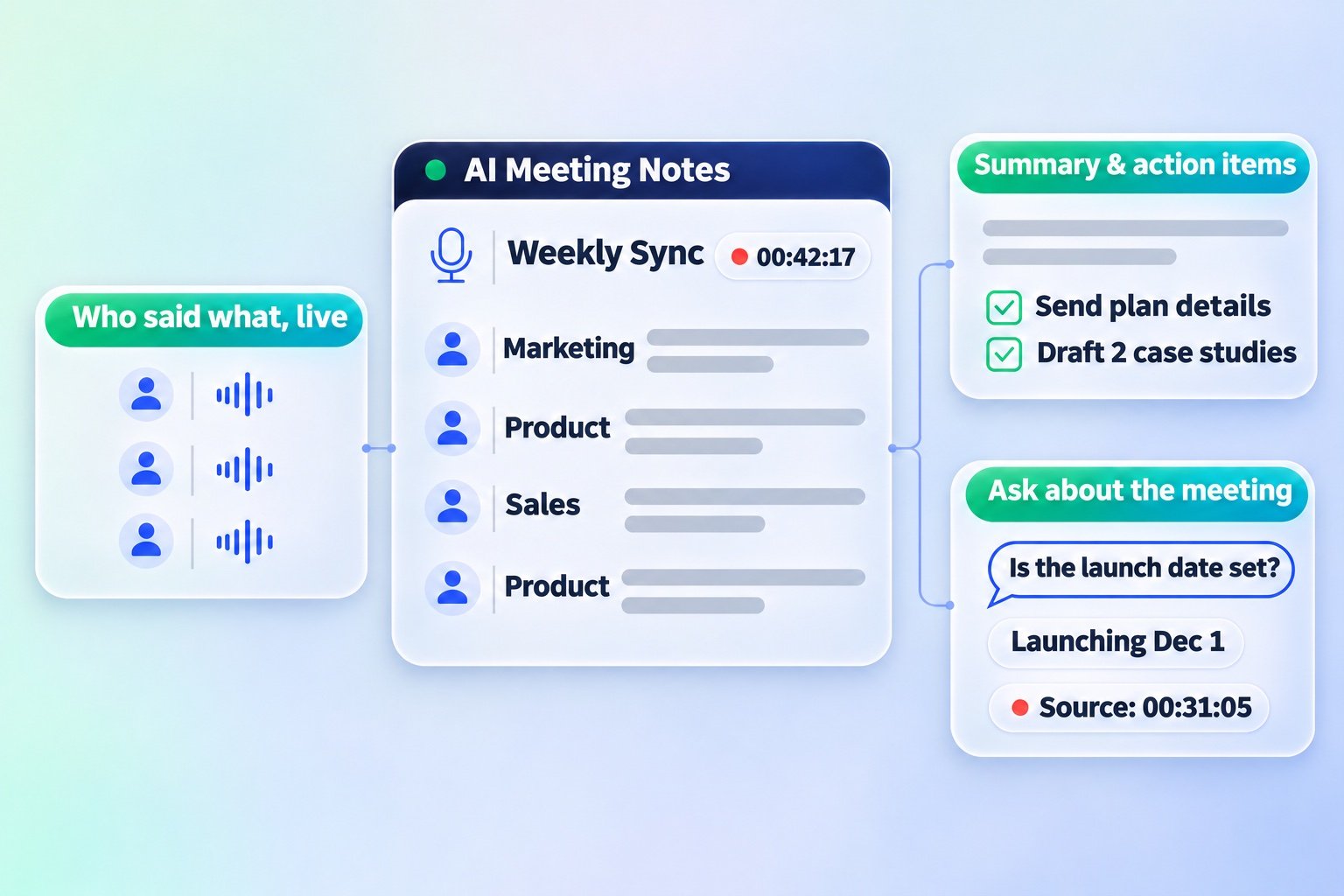
- Taiwanese and EnglishPick a language, the engine is chosen for you
- Find past decisionsAsk MaiGPT or an Agent later
- Records online meetingsCaptures the other side’s voice too
- Runs on-premisesAudio and transcripts stay in your data center
Before, during and after the meeting, on one platform
Most meeting tools stop at a transcript and a summary. MaiAgent meeting notes share one platform and one set of permissions with MaiGPT and your Agents, so meeting content keeps working after the meeting ends.
Get a reminder, start recording in one click
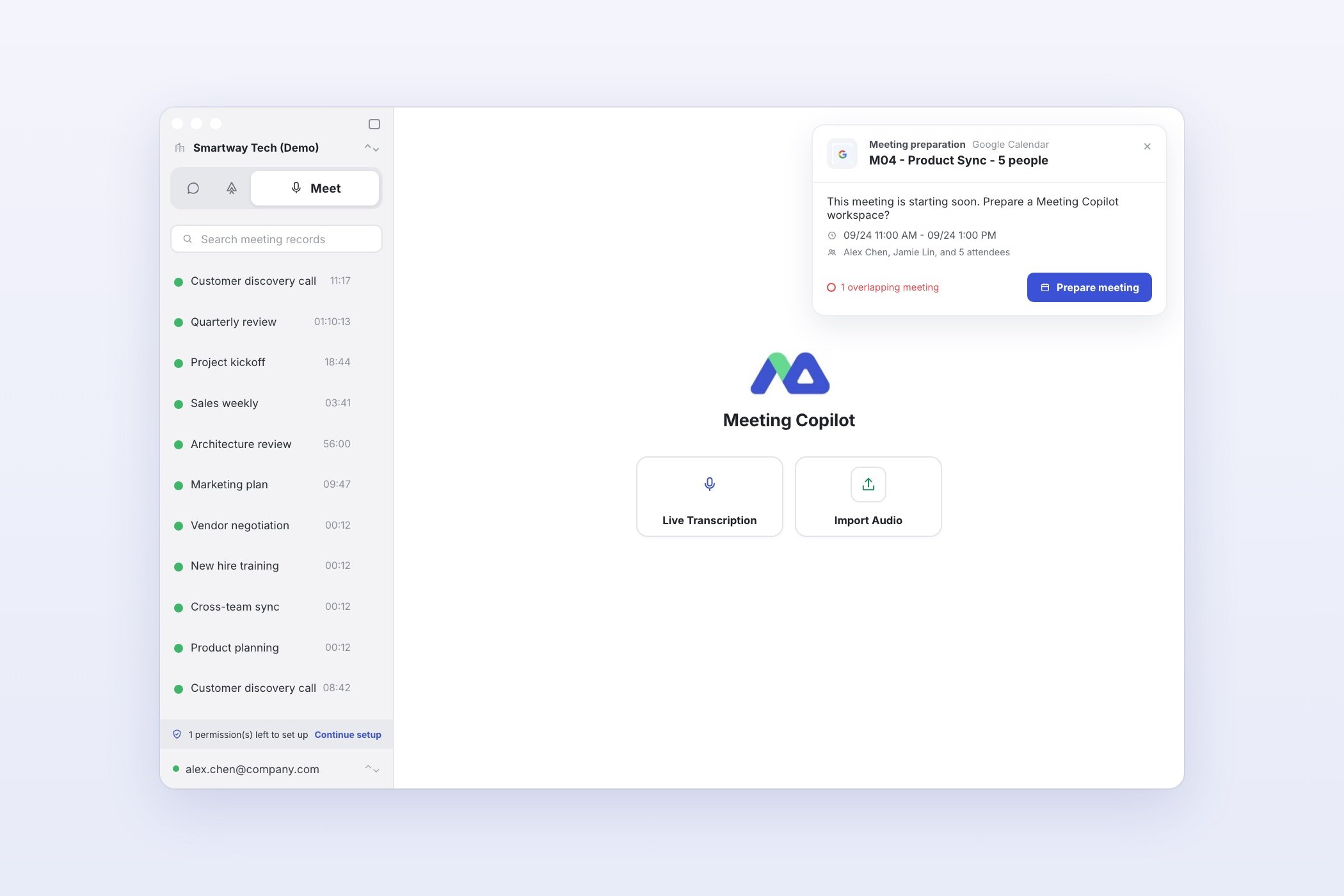
Connect your calendar and get a reminder before each meeting. The meeting name and attendees fill in automatically. One click starts recording.
Pick a language and start transcribing
Live transcription on the web, in MaiGPT or in Desktop, with live translation into up to 3 languages. For Taiwanese or mixed Mandarin and English, the system picks a suitable engine once you choose the language.
Hand it to your own Agents
Pick an Agent your organization built to write the summary and answer questions. An Agent with a ticketing tool can turn action items into tickets.
Searchable company knowledge
Import the transcript or summary as a company document in one click. When colleagues ask MaiGPT or an Agent, they find the conclusions of past meetings.
What makes AI Meeting Notes different
Transcribe Taiwanese and English. Just pick the language
Before the meeting, just choose the language people will speak. The system picks a suitable speech engine for that language, so nobody has to compare engines. Meetings in Taiwanese, English or Mandarin mixed with English can all be transcribed.
- Taiwanese and mixed Mandarin and English meetings are covered
- No need to compare or pick speech engines yourself
- On-premises, speech recognition runs inside your data center
Import meeting content in one click, and find it later
Import a transcript or final summary in one click, and it becomes a company document. Later, when colleagues ask MaiGPT or an Agent “What did we decide last meeting?”, they find this meeting’s conclusions.
- The import screen lists which roles can use the document
- Who can find it follows the platform’s existing role permissions
- You can also ask about the content right on the meeting details page
Your own Agents write the summary and turn action items into tickets
Assign an Agent your organization built to write the summary, following its role instructions. For example, a sales meeting summary can focus on customer needs and opportunities. AI Q&A uses a full Agent chat, so an Agent with a ticketing tool can turn meeting action items into tickets.
- Works with any ticketing system that has an API for creating tickets
- The Agent reports each ticket’s number and link in the chat
- Every summary version is kept and can be exported as PDF or docx
Record online meetings with Desktop, including the other side
MaiAgent Desktop runs on Mac and Windows. It records your microphone and your computer’s audio at the same time, so it captures the other side in Zoom, Teams, Google Meet and Webex. No recording bot has to join the meeting.
- A reminder pops up before the meeting to get you ready in one click
- On Mac, it detects an open online meeting and asks whether to start recording
- Meetings recorded in Desktop also show up in the web console
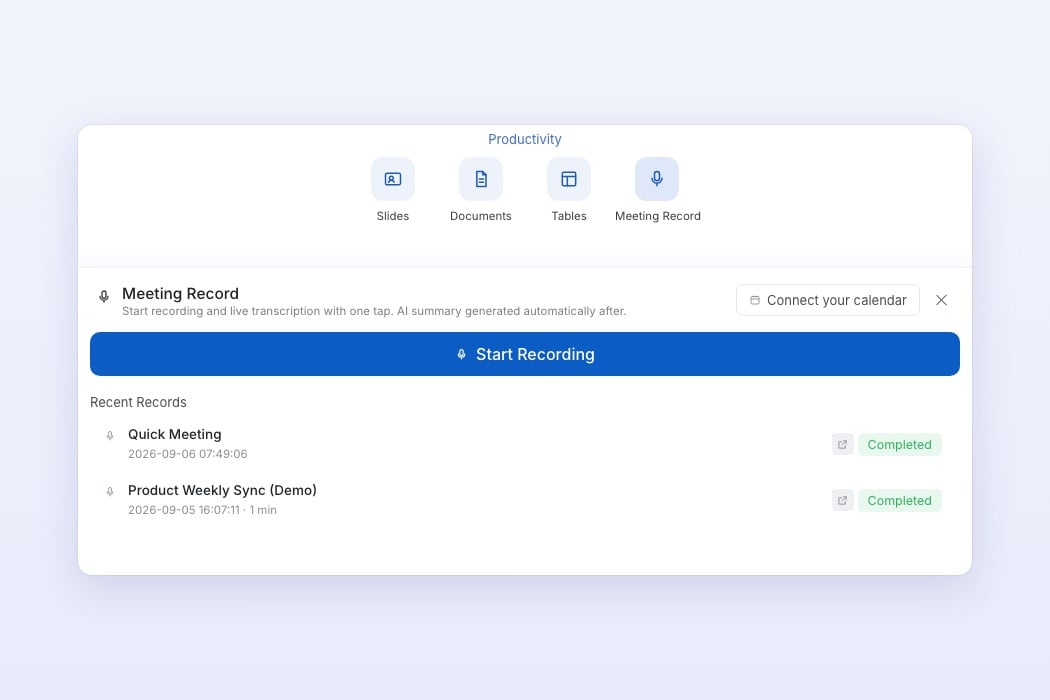
Start recording from the MaiGPT home page, and bring the summary into chat
Meeting notes are part of the office apps on the MaiGPT home page. Connect your Google or Microsoft calendar, press record for a meeting in progress, and the title and attendees fill in automatically. Bring the finished summary into a chat and ask AI to write the follow-up email or list the action items.
- Organization members on the calendar invite get view access to the meeting automatically
- When recording ends, the summary appears right in the panel
- Open the full meeting page when you need the transcript
The controls enterprises need
are built in from day one
Meetings often cover sensitive information. Your company decides who can see them, how recordings are protected and where the data lives.
Members see only meetings they created or were added to. To share a meeting, add people to the attendee list.
- Takes effect right away
- Host cannot be removed
Customer and vendor names are recorded in the meeting info. The attendee list is complete, but guests do not get access to the content.
- No account needed
- No view access
For audits, handovers or department heads, open access to all meetings in the organization by role.
- Set by role
- Revoke at any time
The browser records a backup copy at the same time. If the network drops, audio is kept locally and uploaded when the connection returns.
- No lost audio offline
- Re-transcribe from backup
Choose the deployment that fits your data rules. On-premises, recordings, transcripts and the speech engine all stay in your data center.
- Data sovereignty
- Same deployment as the platform
Transcription, translation and summaries all count toward the same organization quota. The usage details show which meeting each charge came from.
- Shared by web and Desktop
- Traceable usage
MaiAgent Work core features
 MaiGPT Chat
An enterprise AI chat platform. Get everyday work done by chatting.
Learn more Agent Marketplace
Ready-made Agents that work out of the box, for every role and industry.
Learn more File Library
Put project files in. AI reads them in full and helps you write and edit.
Learn moreAI Meeting NotesRecords while you meet. Summary, decisions and action items are ready after.
Learn moreFAQ
How is this different from other meeting note tools?
Most tools stop at a transcript and a summary. MaiAgent meeting notes run on your enterprise AI platform. Choose the meeting language and the system picks a suitable speech engine, including for Taiwanese. Desktop records online meetings. After the meeting, content can be imported as company documents, and your own Agents can summarize it, answer questions and create tickets. Permissions match the platform’s roles.
Can it transcribe Taiwanese or mixed Mandarin and English?
Yes. Choose the meeting language before you start, and the system uses a suitable speech engine. Meetings in Taiwanese, English, and Mandarin mixed with English can all be transcribed.
How do I record online meetings?
Install MaiAgent Desktop and set the recording source to your microphone plus system audio. It then records both you and the other side of the online meeting. It works with Zoom, Teams, Google Meet and Webex. For in-person meetings, use live transcription on the web or in MaiGPT.
Can colleagues see the meetings I create?
Not by default. A meeting is visible only to its creator and the people on its attendee list. Add a colleague to the attendee list and they get access right away. The organization owner and members with meeting notes admin permission can see all meetings in the organization.
Can we deploy it in our own environment?
Yes. AI Meeting Notes supports SaaS, cloud and on-premises deployment. On-premises, you can use a speech engine inside your data center, so recordings and transcripts never leave your environment.