MaiGPT
Enterprise GPT built for your company
Employees chat with AI the way they already type. MaiGPT can also search internal company documents and show sources, connect to everyday work tools, and create documents, slides and images. Admins open models and features by role. Conversations stay inside the company environment and are never used to train models.
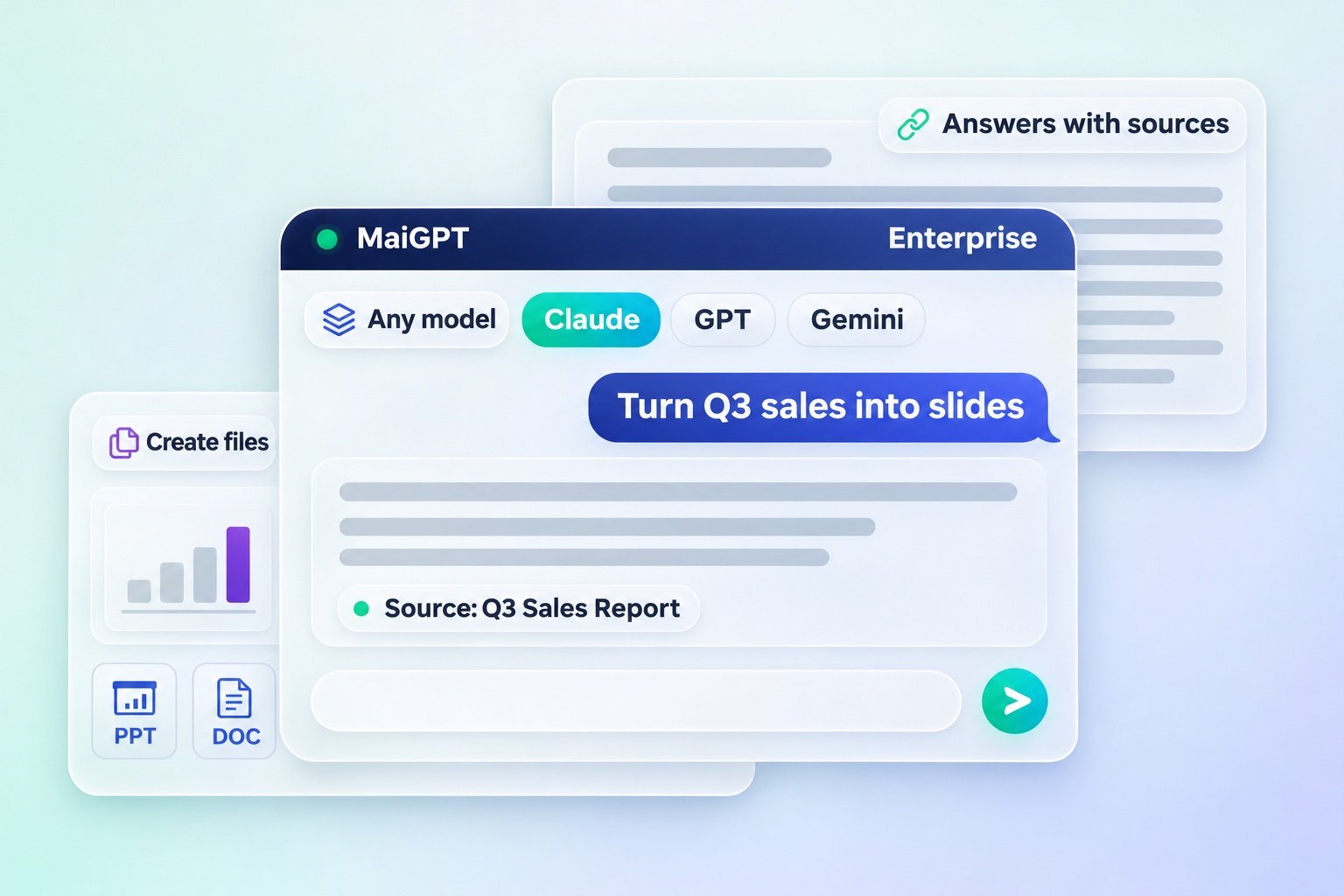
- Choose any modelSwitch between Claude, GPT, Gemini and more by task
- Answers with sourcesClick a source to see the original document
- Finished work, not draftsDocuments, slides, images and videos
- Opened by roleSet models, tools and connectors per role
Six features built around chat
Pick a model, upload a file and ask. When you need long documents, research, images or data from other company tools, keep going in the same chat.
AI Chat
CoreChat with multiple models. Upload files, search company documents, search the web.
Everyday questions, document analysis, translationCanvas
Shows documents and charts made by AI next to the chat. Preview and download them.
Reports, emails, proposals, chartsDeep Research
AI searches the web and writes a research report with sources.
Market research, competitor analysis, topic researchAI Images & Video
Describe a scene in plain words to create images or videos, then keep refining.
Marketing assets, slide images, short social videosConnectors
Connect work tools such as Notion, Slack and Google Drive.
Look up notes, search messages, find cloud filesAny device
Open a browser on your computer, phone or tablet. Chats sync across devices.
At the office, on the road, on the commuteWhat MaiGPT can do
Pick the model for the task and set the reasoning effort
Choose a model before you start. Long-form writing, code and quick questions each have a model that fits, and you are not locked in to one vendor. Raise the reasoning effort for multi-step analysis or decision support.
- Switch between Claude, GPT, Gemini, DeepSeek and more
- Admins choose which models each role can use
- The input box shows how much of the chat context is used
Search files, company documents and the web, with sources
Upload contracts, reports or images for AI to read and analyze. For company policies, SOPs and FAQs, just ask and MaiGPT searches them. Each answer cites its sources, and one click shows the original passage.
- Limit which documents a question searches
- Search the web for the latest information, or read pasted URLs and PDFs
- If company documents have nothing relevant, MaiGPT says so
Create documents, slides, images and videos
Reports, emails and flowcharts open in Canvas. Ask for slides and a slides panel opens on the right, where you preview each page and edit single pages with AI. Describe images and videos in plain words to create them, then keep refining.
- Export AI slides as PDF or PPTX, or create a share link
- Start from document and spreadsheet templates to produce Word and Excel files
- Everything made in the chat is listed under Output, ready to download
Deep Research reports with sources
Enter a research topic. AI first proposes a research plan and estimated Credits. Once you confirm, it searches and organizes many sources into a structured report. Good for market research, competitor analysis and technical research.
- Review the plan before it starts, and change direction if needed
- Get the result as a Canvas document, a chat reply, or a docx / PDF file
- Reports cite their sources so you can check them
Connect Notion, Slack and other work tools
Connectors let MaiGPT reach the tools employees already use. Look up and work with that data right in the chat, with no copying and pasting between systems.
- Sign in with OAuth. MaiGPT never stores passwords, and you can disconnect at any time
- Admins decide which connectors the organization turns on and for which roles
- If a tool you need is not on the list, send a request to add it
Easy for employees every day
Under control for the company
Sharing, memory and templates help employees pick up where they left off. Admins set models, tools and usage by role in one place.
Share a whole chat with people in your organization. They can read it, or copy it and keep asking.
- Set who can see it
- Within your organization
Remembers context and personal preferences, such as always answering in Traditional Chinese. View, edit or delete what it remembers.
- Turn off any time
- You manage it
Start from templates such as weekly reports, plans and Gantt charts. Add company documents or a database, and produce Word and Excel files.
- Built-in and company templates
- Import your own
Set which models, tools, skills and connectors each role can use, plus features such as company document search and Deep Research.
- Multiple roles combine
- Changes save automatically
Chats are processed inside your company environment. Other companies cannot access them, and they are never used to train models. Files are encrypted in transit and at rest.
- Never used for training
- Encrypted in transit and at rest
The company pays for usage centrally, so employees never pay on their own. Members can check their own quota and what is left.
- Measured in Credits
- Set member quotas
MaiAgent Work core features
MaiGPT ChatAn enterprise AI chat platform. Get everyday work done by chatting.
Learn more Agent Marketplace
Ready-made Agents that work out of the box, for every role and industry.
Learn more File Library
Put project files in. AI reads them in full and helps you write and edit.
Learn more AI Meeting Notes
Records while you meet. Summary, decisions and action items are ready after.
Learn moreFAQ
How is MaiGPT different from ChatGPT?
MaiGPT is an AI chat platform that belongs to your company. Data stays inside the company, it can search your internal company documents, it supports many AI models, and the company manages permissions and usage in one place.
Do employees have to pay for it?
No. The company manages and pays for usage centrally. Admins can set member quotas, and members can check how much they have left.
Can admins see employee conversations?
It depends on role permissions. The organization owner and members with AI assistant monitoring permission can view MaiGPT chat history in the admin console. Your company decides which roles have this permission.
Can we use it on a phone or tablet?
Yes. MaiGPT runs in the browser, so it works on computers, phones and tablets. Chat history syncs across devices.
Can we deploy it in our own environment?
Yes. MaiGPT supports SaaS, cloud and on-premises deployment. Contact us to find the right option for you.