Guest column | KSC Think Tank
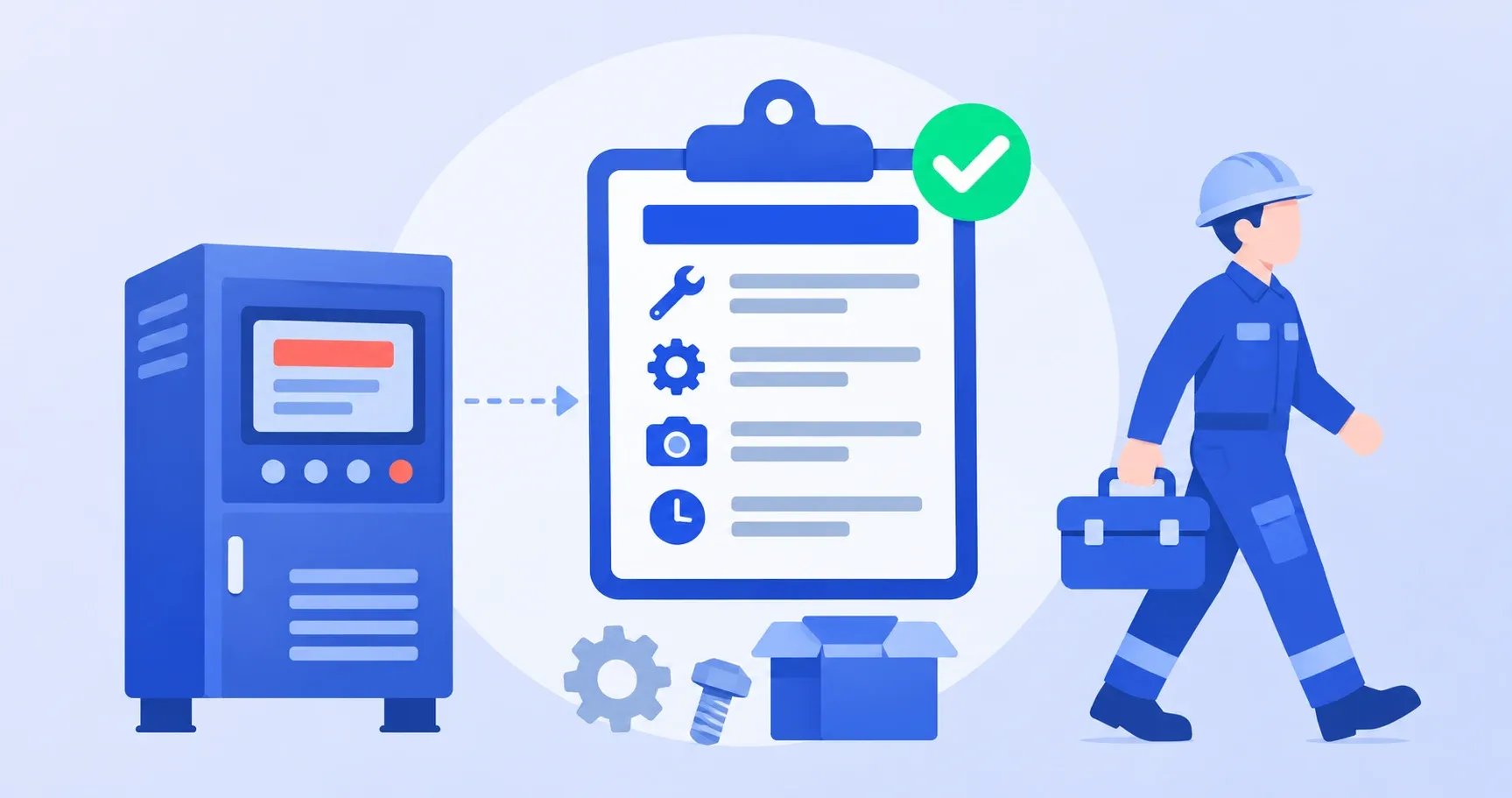
With the enterprise AI platform MaiAgent, an AI agent can take over three steps of a maintenance team's work, from repair request to dispatch. It reads the error code or control panel photo sent from the site. It checks the company's repair manuals and past work orders to make a first diagnosis. And when the conversation ends, it creates the maintenance work order automatically. The team does not need to replace its repair request system, and the work order keeps its original fields.
1. Which Maintenance Teams Benefit Most From AI Work Orders?
This approach makes the biggest difference if your maintenance team has any of these problems:
- Repair requests often miss details, so dispatchers spend a lot of time going back and forth to confirm the model, equipment number and what went wrong.
- Only a few senior technicians can diagnose faults, so whoever takes the request has to call them whenever an error code comes up.
- Work orders are still put together by hand from chat messages and typed into Excel field by field, which leads to blank fields or the wrong spare parts.
KSC Think Tank explains how each of these problems develops, and what changes before and after adoption, in How to Bring AI Agents Into Equipment Maintenance Dispatch (in Chinese). This article focuses on how it actually works in MaiAgent.
2. Step 1: Read Equipment Error Codes and Ask for Missing Dispatch Details
On-site staff keep using the same repair request web page. They enter the error code, or simply upload a photo of the control panel. The AI agent reads the error code and warning light status from the photo, and it can usually handle slight glare or an angled shot. If glare hides key characters or the image is too blurry, the AI agent asks for a straight-on close-up. If needed, it hands the case to a person to confirm, so the reading is not wrong.
If information needed for the diagnosis is missing, such as the equipment number or whether the error comes back after a restart, the AI agent asks the on-site staff right in the chat. The dispatcher does not have to follow up later.
3. Step 2: Check Repair Manuals and Past Work Orders for a First Diagnosis
The diagnosis in this step is based on three kinds of data the company loads into MaiAgent ahead of time: equipment manuals, maintenance SOPs and past work orders. After checking them, the AI agent takes one of three paths:
- Simple issue: for example a dirty sensor, a setting that drifted or a loose wire. The AI agent gives troubleshooting steps so the site can fix it without sending anyone.
- On-site visit needed: the AI agent lists the likely cause, the estimated repair time and the spare parts to bring.
- Can't tell: the case goes to a senior technician, and a person makes the final call.
4. Step 3: The Maintenance Work Order Fills Itself In When the Chat Ends
Once a dispatch is confirmed, the AI agent takes what it gathered in the first two steps and fills in the team's existing work order fields. The dispatcher no longer copies and pastes field by field. Here is where each field comes from:
| Work order field | Where it comes from |
|---|---|
| Request time | Step 1When the repair request comes in |
| Equipment number | Step 1Entered on site; the AI agent asks if it is missing |
| Error code | Step 1Read from the typed text or the panel photo |
| Site photo | Step 1Uploaded from the site |
| Likely cause | Step 2Checked against repair manuals and past work orders |
| Spare parts list | Step 2Listed based on the first diagnosis |
The dispatcher can assign a technician as soon as the work order arrives, and the technician knows which spare parts to bring before leaving.
5. Where Should the AI Work Order Go? Three Common Options
An AI agent cannot open and fill in an offline Excel file sitting on a dispatcher's computer. So the right setup depends on where your work orders are kept today:
- Online spreadsheet: move the work order to Google Sheets or Excel online, and the AI agent writes to it directly when the chat ends (through a webhook or spreadsheet integration).
- Excel file output: the AI agent produces an Excel work order filled in using your original format, ready for the dispatcher or technician to download.
- Your existing system: if you already have a work order system, ERP or maintenance database, the AI agent can write to it directly through an API.
6. Getting Started With AI Maintenance Dispatch: What to Prepare
- Maintenance knowledge: equipment manuals, maintenance SOPs and past work orders. These are what the AI agent bases its diagnosis on.
- Work order fields and storage: confirm which fields your work order has, and whether it lives in an online spreadsheet, a work order system or an Excel file on someone's computer. This decides how to connect it.
- Your current repair request entry point: confirm which repair request web page or form the AI agent will be added to.
- Handoff contact: decide which senior technician takes over when the AI agent can't make a diagnosis.
If you are not sure which maintenance process to start with, pick the type of equipment with the most repair requests and the most repeated error codes. Once the readings and work orders are confirmed to be correct, expand to other equipment.
Frequently Asked Questions
Can MaiAgent read control panel photos that aren't clear?
With slight glare or an angled shot, it can usually still read the error code and warning light status. If glare hides key characters or the image is too blurry, the AI agent asks the on-site staff to take another photo, and hands the case to a person if needed. It also asks for missing details that are not in the photo, such as the equipment number.
Do we need to switch to a new work order format?
No. The AI agent fills in your existing work order fields. What you need to check is where the work order is stored. If it is an offline Excel file on someone's computer, the AI agent cannot open and fill it in. The usual fix is to move to an online spreadsheet, or have the AI agent produce a filled-in Excel file to download.
Will the AI agent replace senior technicians?
No. The AI agent handles the first round of troubleshooting and puts the work order together. Anything it can't diagnose still goes to a senior technician, and on-site repairs are still done by technicians who head out with the spare parts list.
Want to See How AI Agents Fit Into Enterprise Workflows?
KSC Think Tank free live webinar (in Mandarin), Tuesday, December 22, 2:00–3:00 p.m. Taiwan time: From Personal Productivity to Business Impact, Getting Ready for AI in 2027.
The session starts from real enterprise workflows, shows how AI agents fit into existing business processes, and shares KSC Think Tank's hands-on experience rolling out the MaiAgent AI platform.